
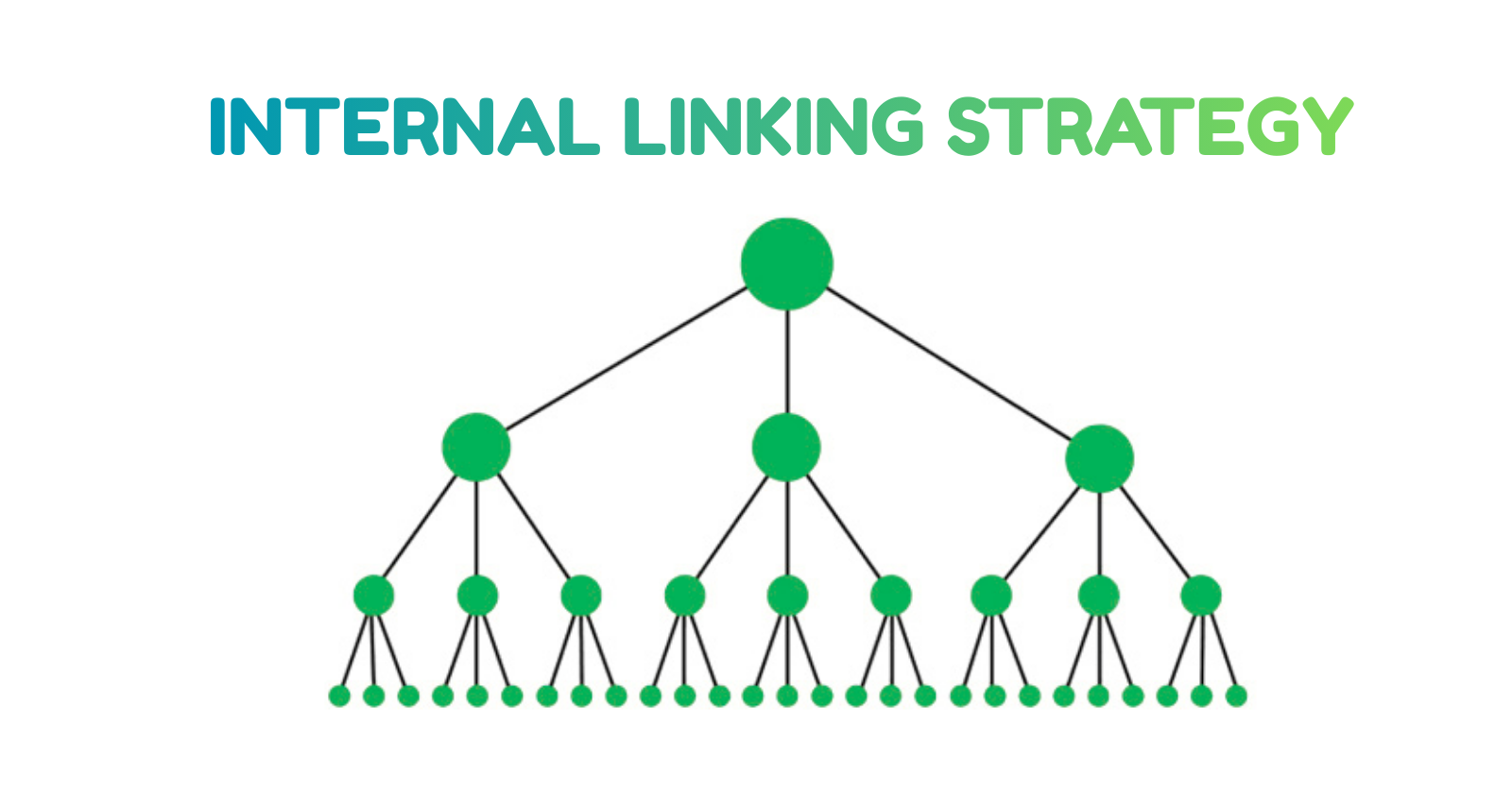
Internal linking helps Google discover pages faster, understand your site structure, transfer authority, and rank content higher. A strong internal linking strategy includes linking from pillar pages, using keyword-rich anchors naturally, avoiding orphan pages, and connecting related topics into clusters.
Why Internal Linking Is a Ranking Superpower
Most beginners focus on:
- keywords
- metadata
- backlinks
- content length
…but ignore internal links, even though they are one of the most powerful SEO tools.
Google itself says internal linking:
- helps crawling
- improves indexing
- passes authority
- clarifies content relationships
- strengthens topical authority
Internal linking is not complicated – but you must do it correctly.
This guide gives you a simple, powerful strategy used by top-ranking websites.
1. What Internal Linking Actually Means
Internal links are links from one page of your website to another page on your website.
Example:
A blog post about “keyword research” links to another post about “how search engines work.”
This tells Google:
👉 “These two pages are related.”
Internal linking:
- improves understanding
- builds connections
- creates authority flow
- helps indexing
- increases user engagement
It is one of the easiest SEO improvements with a huge impact.
2. Why Internal Linking Matters for SEO
Google uses internal links to understand:
- How your content is structured
- Which pages are most important
- How topics connect
- Your topical authority
- Which pages to crawl more often
When internal links are missing, Google sees your content as isolated, unimportant, or unclear.
A strong internal linking strategy boosts:
- rankings
- crawl frequency
- indexing speed
- user time on site
…and builds a strong foundation for long-term SEO.
3. The Most Common Internal Linking Mistakes
Avoid these if you want fast growth:
❌ Orphan pages (no internal links)
❌ Links placed too low on the page
❌ Repeating the same anchor text unnaturally
❌ Linking to irrelevant pages
❌ Too many categories with no structure
❌ Using “click here” or “read more” anchors
❌ No pillar pages
❌ Linking only from new pages to old ones (not both ways)
These hurt crawling, indexing, and rankings.
4. The Perfect Internal Linking Structure
Use this 3-layer system to build authority:
Layer 1 – Pillar Pages (Top Level)
These are long, comprehensive pages that:
- define a topic
- answer broad questions
- link to multiple subtopics
Examples:
- “Search Engine Optimization: Beginner Guide”
- “Technical SEO Basics”
- “Content Marketing Essentials”
These pages signal your site’s main topics.
Layer 2 – Cluster Pages (Related Subtopics)
These are supporting articles that explore specifics.
Examples:
- How search engines work
- Keyword research using free tools
- Internal linking guide
- On-page optimization
- Fixing indexing issues
Each cluster page must link to:
- its pillar page
- 2–4 related cluster pages
This creates a topic cluster, which Google loves.
Layer 3 – Deep Support Pages (Specific problems)
Examples:
- Crawled but not indexed
- INP optimization
- Writing meta descriptions
- Using schema
- Image SEO
These usually answer specific questions.
They link to:
- cluster pages
- pillar pages
- related deep pages
5. How Many Internal Links Should Each Page Have?
There is no strict rule, but SEO experts follow this pattern:
- Pillar pages: 15–25 internal links
- Cluster pages: 8–15 internal links
- Deep support pages: 3–8 internal links
Use internal links naturally.
If a link adds value → add it.
If not → skip it.
The goal is clarity, not quantity.
6. How to Choose the Best Anchor Text
Anchor text tells Google what the linked page is about.
Best practice:
✔️ Descriptive
✔️ Natural
✔️ Keyword-relevant
✔️ Not over-optimized
Examples:
Good:
“fixing crawl and indexing issues”
“internal linking strategy”
“how search engines understand content”
Bad:
❌ “click here”
❌ “read more”
❌ “learn this”
Even worse:
❌ stuffing the exact keyword every time
Example: repeating “internal linking strategy” 10 times → unnatural
Variation is key.
7. The “Up, Down, Sideways” Linking Method (Simple & Powerful)
Use this formula for EVERY article:
UP → Link to pillar page
Example:
“In our main SEO guide, we explain how search engines interpret these structures.”
DOWN → Link to specific topics
Example:
“To understand indexing delays, read our guide on fixing crawled-but-not-indexed pages.”
SIDEWAYS → Link to related topics
Example:
“If you want to learn how to choose keywords, here’s our keyword research guide.”
This adds structure Google can easily understand.
8. Fixing Orphan Pages (Pages With No Internal Links)
To fix:
- Identify orphan pages using:
- Search Console
- WordPress plugins
- Manual checking
- Search Console
- Add links to them from:
- Related cluster pages
- Category pages
- Pillar pages
- Related cluster pages
- Add a link back from the orphan page to:
- Its cluster
- Its pillar
- A related post
- Its cluster
This alone improves crawling and indexing dramatically.
9. Use Internal Links Early in the Content
Google gives more weight to links placed:
✔️ in the introduction
✔️ in the first 150 words
✔️ before the first H2
This helps indexing much faster than links added at the bottom.
Example:
“If you’re new to SEO, our beginner-friendly guide on how search engines work will help you understand the basics.”
10. Internal Links Improve Ranking for These Reasons
✔️ Faster crawling
Google discovers your content quickly.
✔️ Better indexing
Pages with strong internal links index faster.
✔️ Authority flow
Link juice passes through your site.
✔️ Content relationships
Google understands your theme.
✔️ Stronger topical authority
Clustered topics rank better.
✔️ Higher engagement
Users stay longer and visit more pages.
This is why top websites like HubSpot and Backlinko rely heavily on internal linking structures.
11. Should Internal Links Open in New Tabs?
For internal links:
✔️ Keep them in the same tab
For external links:
✔️ Open in a new tab (_blank)
This improves user experience.
12. Internal Linking Checklist
Use this before publishing any article:
- Linked to pillar page
- Linked to 2–4 relevant cluster pages
- Linked to 1–2 deep support pages
- Anchor text is natural
- Links appear early in content
- No orphan pages
- No broken links
- No over-optimized anchors
Conclusion: Internal Linking Is the Simplest Way to Improve SEO Fast
You don’t need backlinks or expensive tools to improve your SEO.
A strong internal linking structure:
- clarifies your topics
- boosts crawl frequency
- speeds up indexing
- increases authority
- improves rankings
- strengthens topical coverage
If you follow this strategy consistently, your website will naturally grow in visibility and authority.
Internal linking is free, easy, and extremely powerful – start using it today.